
Actions and macros
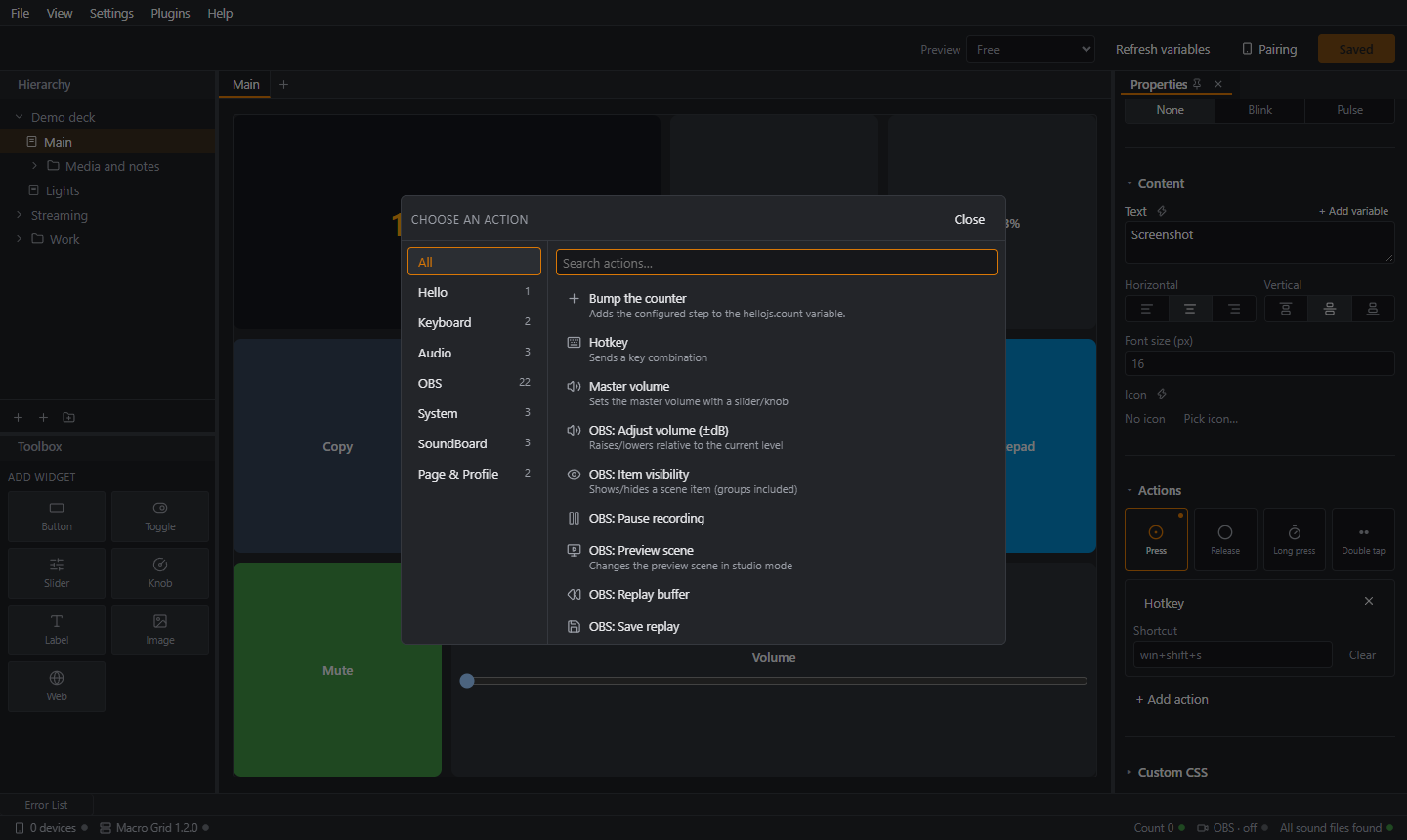
An action is something the PC does when a widget event fires. You add them in the Actions section of the Properties panel with + Add action, which opens a searchable, categorized picker.
Built-in actions
| Action | What it does |
|---|---|
| Shortcut | Presses a key combination such as ctrl+shift+s. Click the field and press the keys. |
| Type text | Types a text. |
| Open application | Starts a program or opens a file. Optional arguments. |
| Open URL | Opens an http:// or https:// address in your default browser. |
| Change page | Go to a page, next, previous (wraps around) or back. |
| Change profile | Switches this device to another profile. |
| Delay | Waits up to 60000 ms. Use between actions. |
| Master volume, Mute/unmute, Toggle mute | Windows volume and mute. |
Plugins add more. The OBS plugin adds 22.
The action names in the picker follow the editor language. Full list: Actions reference.
Macros
Bind several actions to the same event. They run in order, one after another. A failing action is logged and reported without stopping the ones after it.
Example, "open my editor and start a recording":
- Open application → your editor
- Delay → 1500 ms
- an OBS Start recording action
Use the arrows to reorder and Remove to delete.
Variables inside actions
Plugin action fields that allow variables (for instance the OBS text source action) resolve {variable} before the action runs. Example: Now streaming for {obs.stream.duration}.
When an action fails
If something goes wrong (a scene that no longer exists, a program that cannot start), the phone shows a red toast and the editor's status bar shows the error. Actions never fail silently.
Order matters per device
Actions from one device run in order and off the receive loop, so a slow action such as a long delay never blocks the next touch from being read.